Add a client to Kajabi manually
Did a client pay through Linktopay but not get access in Kajabi? Use one of the options below to add them yourself.
Help topics: Connect Offers · Troubleshooter · Add people manually · General FAQ
When to use this
- After a successful sale with Linktopay, when your client did not get access to the product in Kajabi.
- After an opt-in or sale, when the new person did not confirm their email address (double opt-in).
- When someone unsubscribed by mistake and you want to subscribe them again.
Option 1: Submit a Kajabi form manually
With this option, everything runs exactly as after a successful sale.
Quick steps
- Open the Kajabi form that did not receive a submission and edit it.
- Turn off double opt-in if it is enabled.
- Select Preview in the top menu.
- Open your Linktopay Dashboard in a new browser window.
- Find and click the client who did not get access to see their details.
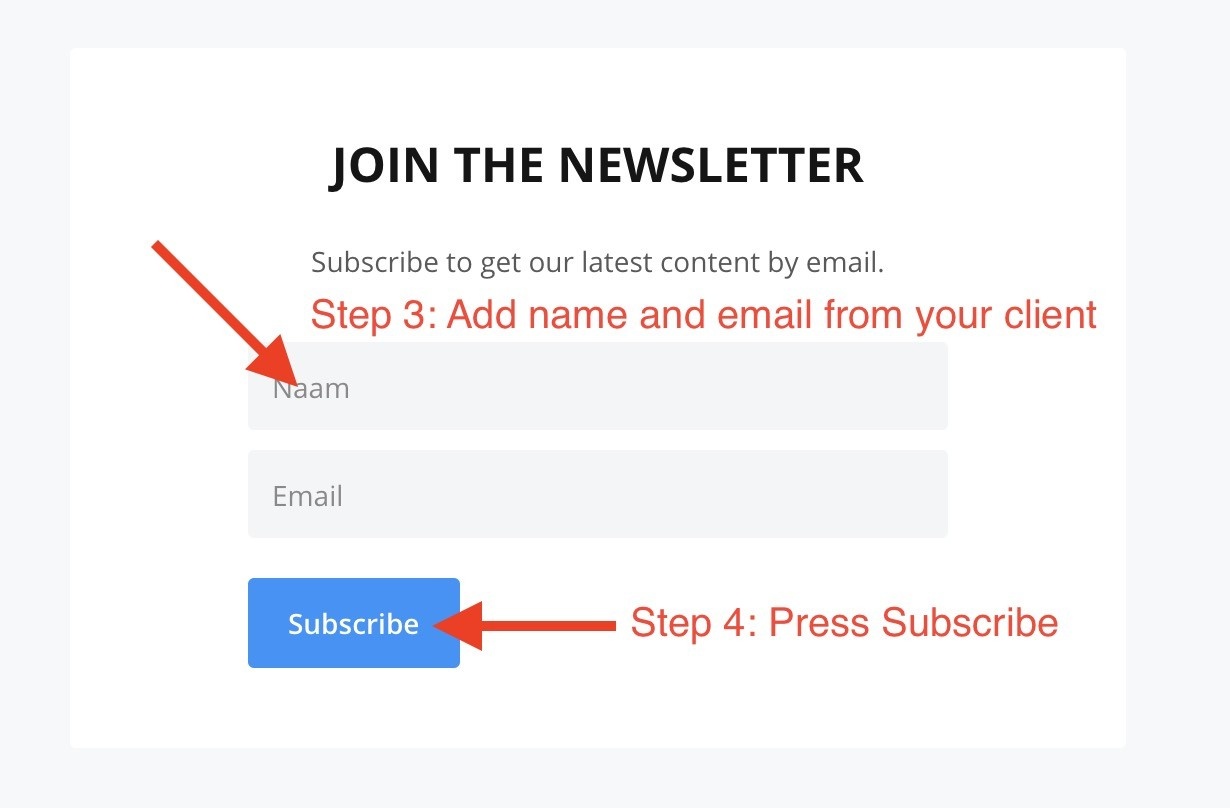
- Copy your client's details into the form preview.
- Submit the preview form.
- Repeat this for every client who did not get access.
- When you are done, turn double opt-in back on.
Step by step
- Open the Kajabi form that did not receive a submission and edit it. Or create a new form and add the automations you need.
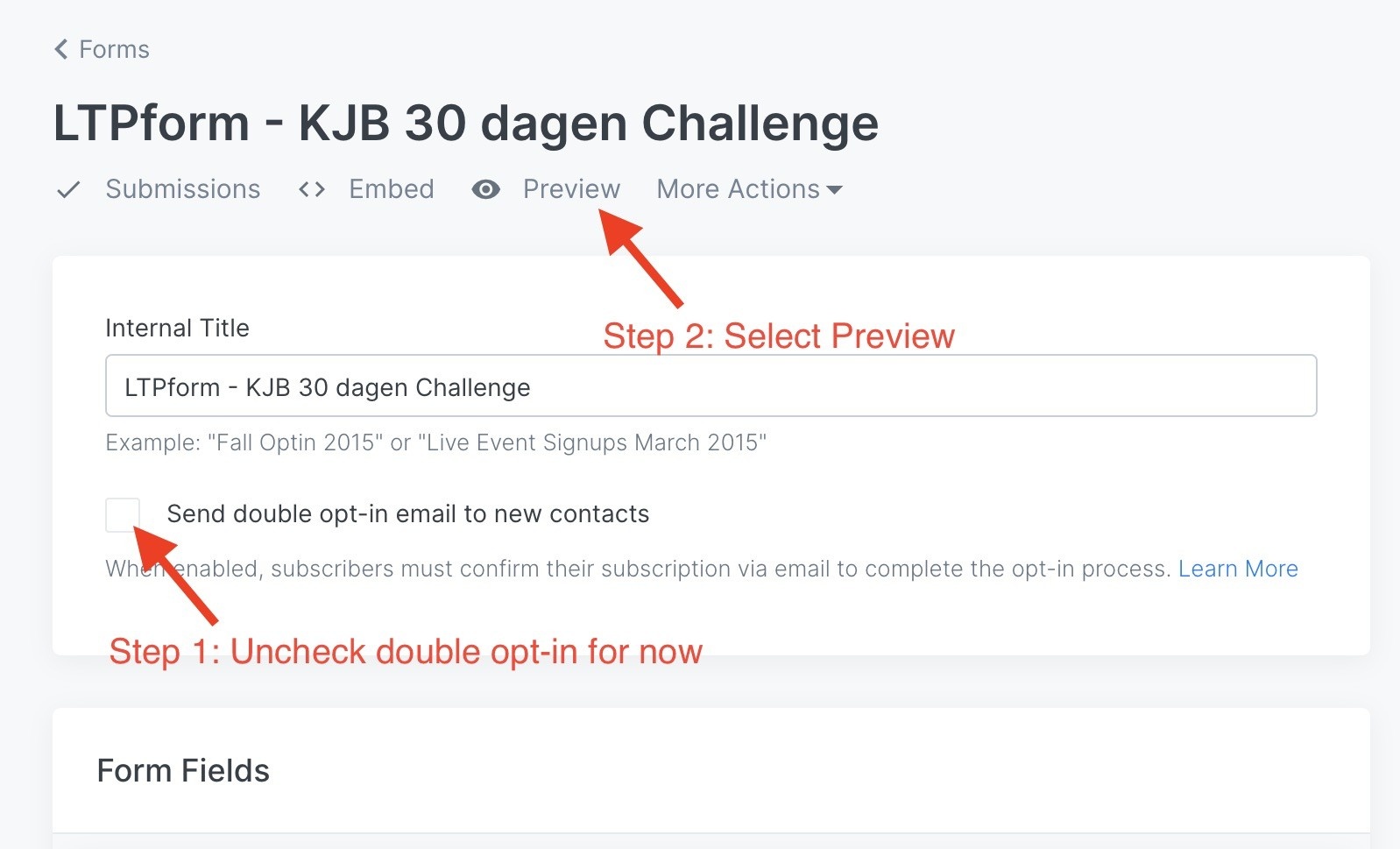
- Turn off double opt-in if it is enabled.
- Select Preview in the top menu.
- Open your Linktopay Dashboard in a new browser window.
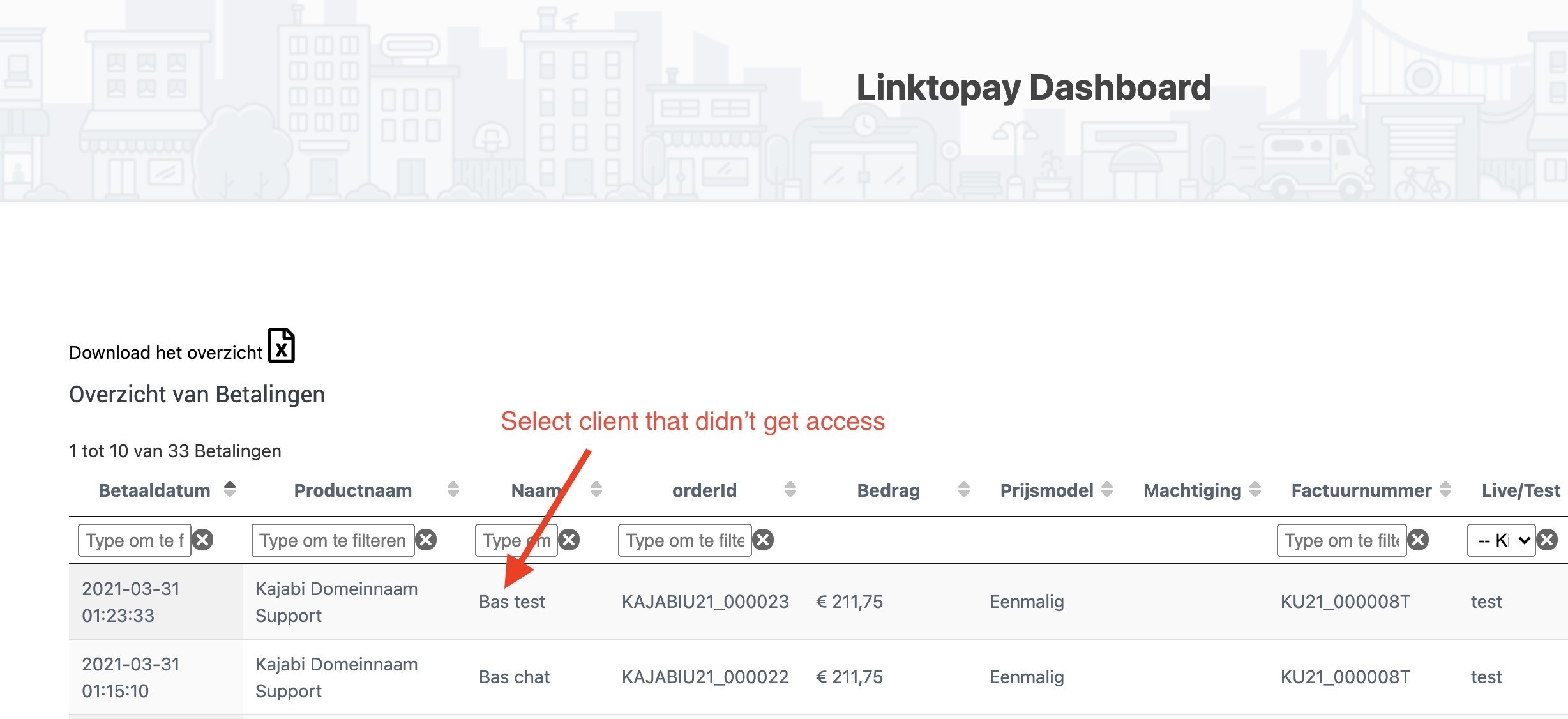
- Find and click the client who did not get access to see their details. You only need to copy the fields that are also in your form.
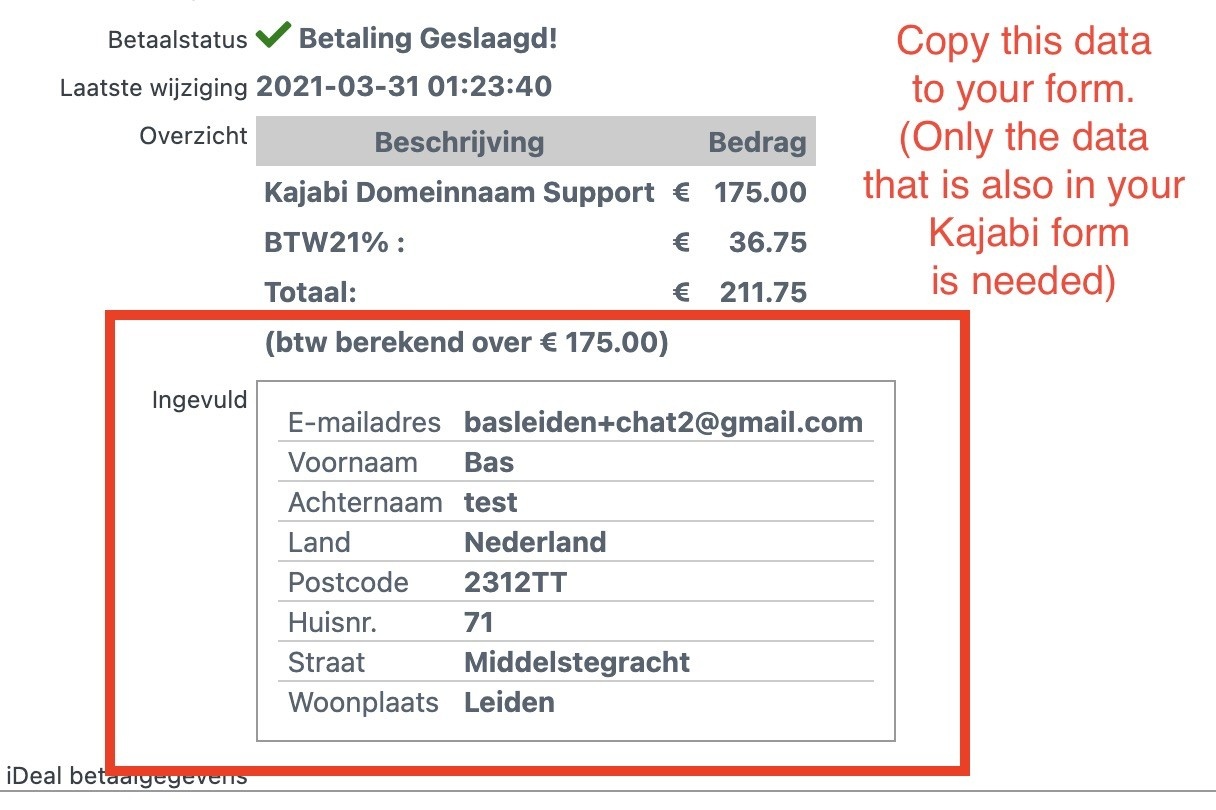
- Copy your client's details into the form preview.
- Submit the preview form.
- Repeat this for every client who did not get access.
- When you are done, turn double opt-in back on.
Option 2a: Import new people
Useful when you want to add several people at once. This takes a bit more work, and the emails from your form are not sent.
- Go to People.
- Select Import Contacts.
- Import a single contact or a file.
- Add the name and email address of your client(s).
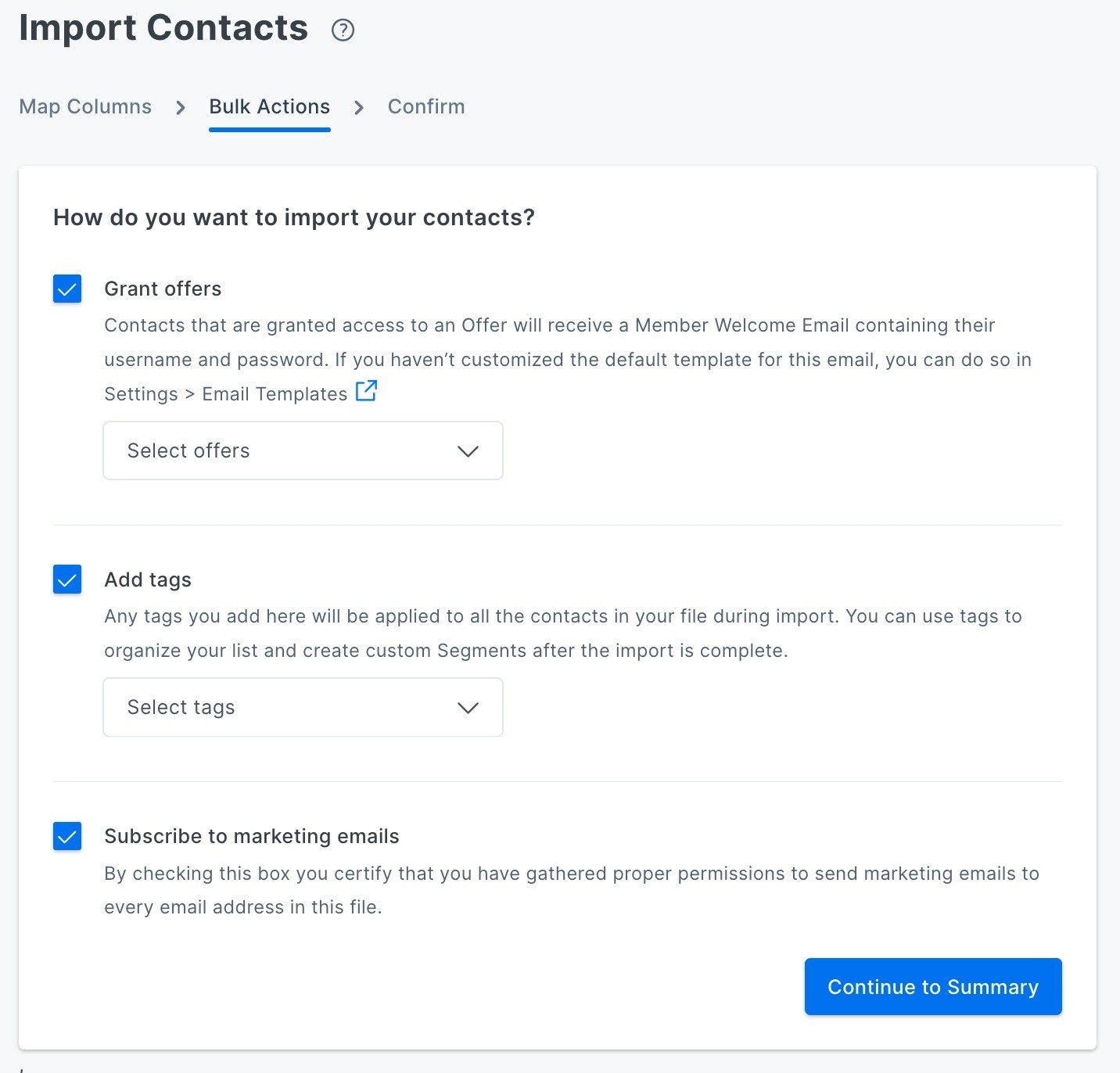
- Under Grant offers, select the same offer as in your Linktopay setup.
- Under Add tags, add the same tags as in your Linktopay setup.
- Make sure Subscribe to marketing emails is selected.
- Review and submit.
- Go to People, select the new client and use Actions (see option 2b) for anything else.
Option 2b: Use Actions for existing people
The emails from your form are not sent with this option.
- Go to People.
- Select the person who did not get access.
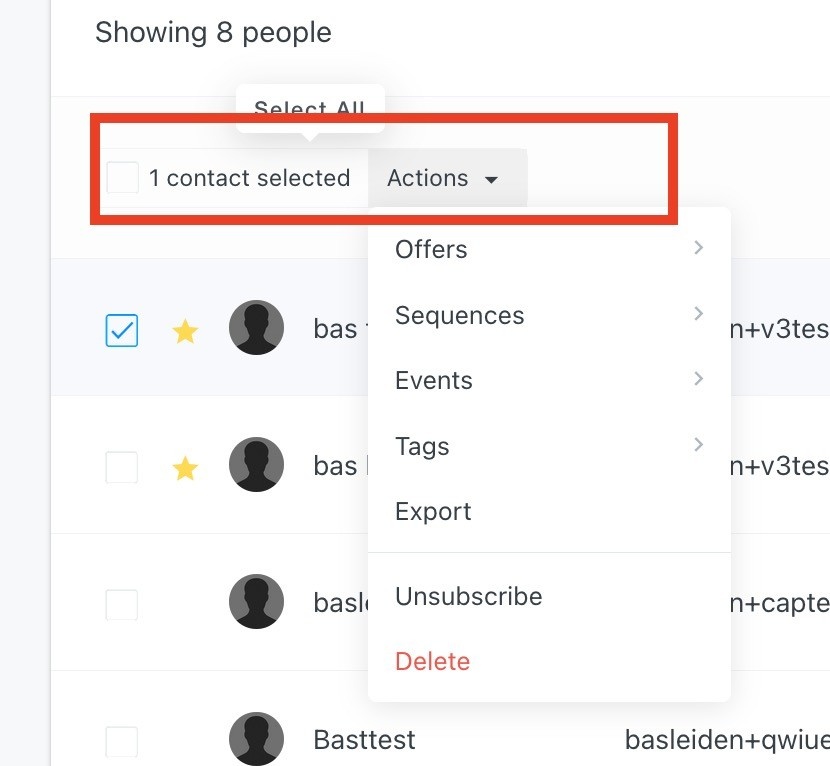
- Use Actions to grant an offer, subscribe them to a sequence, add tags, register them for an event and more.